Adding a POP3 E-Mail Account to Outlook
Start The Dialog POP3 User Logon Server More Authenticate Test Finish
Links Contact
The Outgoing Server nearly always needs authentication.
Click the Outgoing Server tab under More Settings to do this.
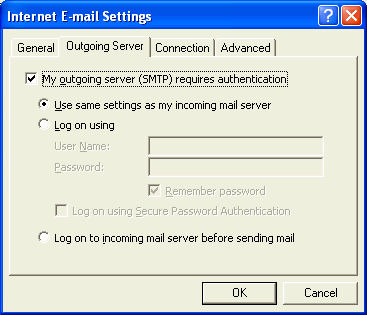
In most cases it is just necessary to set the Server up as shown in the figure.
Check the box to indicate Authentication is required and then use the same settings as for the Incoming Mail Server.
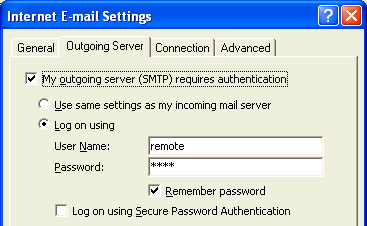
In some cases you will be given a special User Name and Password which must be entered. This is the case with USP, an ISP commonly used by James Miller.