Multiple Sites - Logos and Styles - New
|
|
|
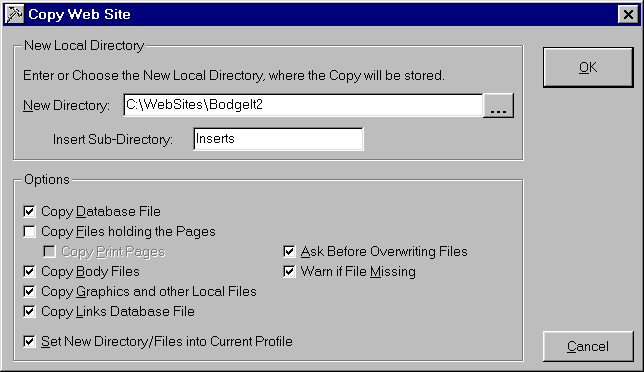
Suppose you want to create a version of this BodgeIt! Web Site, with a different logo in the page title. Before the copy is started, save the profile as a new secondary profile using the Save Profile As command in the File menu. This will mean that you don't inadvertantly overwrite the main profile. Then use the Copy Web Site command in the WWW menu, to create a totally new set of files in a new directory.
Note that here, everything is being copied, except for the actual pages themselves and the print pages. The new directory must be specified and this will be set into the secondary profile, if the Set New Directory/File... box is checked, after the copy. The new Web Site is then built in the normal way, after adding the new logo and any colour changes. It would then be uploaded to the correct site. Don't forget to save the new changes to the secondary profile! |
|