Multiple Sites - Logos and Styles - Updating
|
|
|
The procedure for updating a Web Site is similar to that, that was used when the site was originally created.
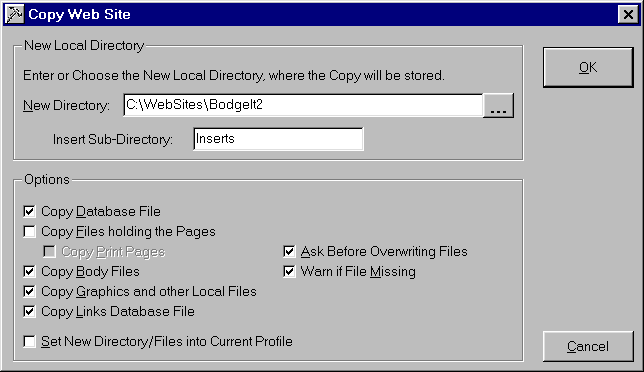
Note though that you open the main profile and that you do not set the new directories and files after the copy. You will notice that the pages and the print pages themselves are not copied. This means that they will only be updated and hence copied to the Web Site, if they are different to the previous ones, rather than those of the main profile. Once the copy has been completed the secondary site is built and uploaded in the normal way using the secondary profile, that was created earlier. |
|